Distance & Directions Calculator for Ninja Forms
Calculate travel distance, driving time, routes, and dynamic pricing directly inside your Ninja Forms using Google Maps.

What Can You Build with Distance & Directions?
Build travel calculators, delivery estimators, booking forms, and distance-based pricing workflows directly in Ninja Forms.
Powerful Travel Logic Built In
- Turn address fields into live route calculations
- Calculate accurate travel distance in real time
- Estimate driving time using real road data
- Display full turn-by-turn directions
- Show interactive route maps inside your form
- Auto-populate pricing and calculation fields
Ideal for Distance-Based Businesses
- Delivery services
- Taxi & transportation companies
- Mobile service providers
- Event logistics teams
- Moving companies
- Tour operators
How It Works
From address input to live route calculation — everything happens automatically inside your form, in real time
1. User Enters Addresses
2. Routes API Calculates Distance & Duration
3. Dynamic Fields Update Instantly
4. Display Route on a Live Map
Full Routing Control — Not Just a Distance Calculator
Fine-tune how routes are calculated, displayed, and optimized
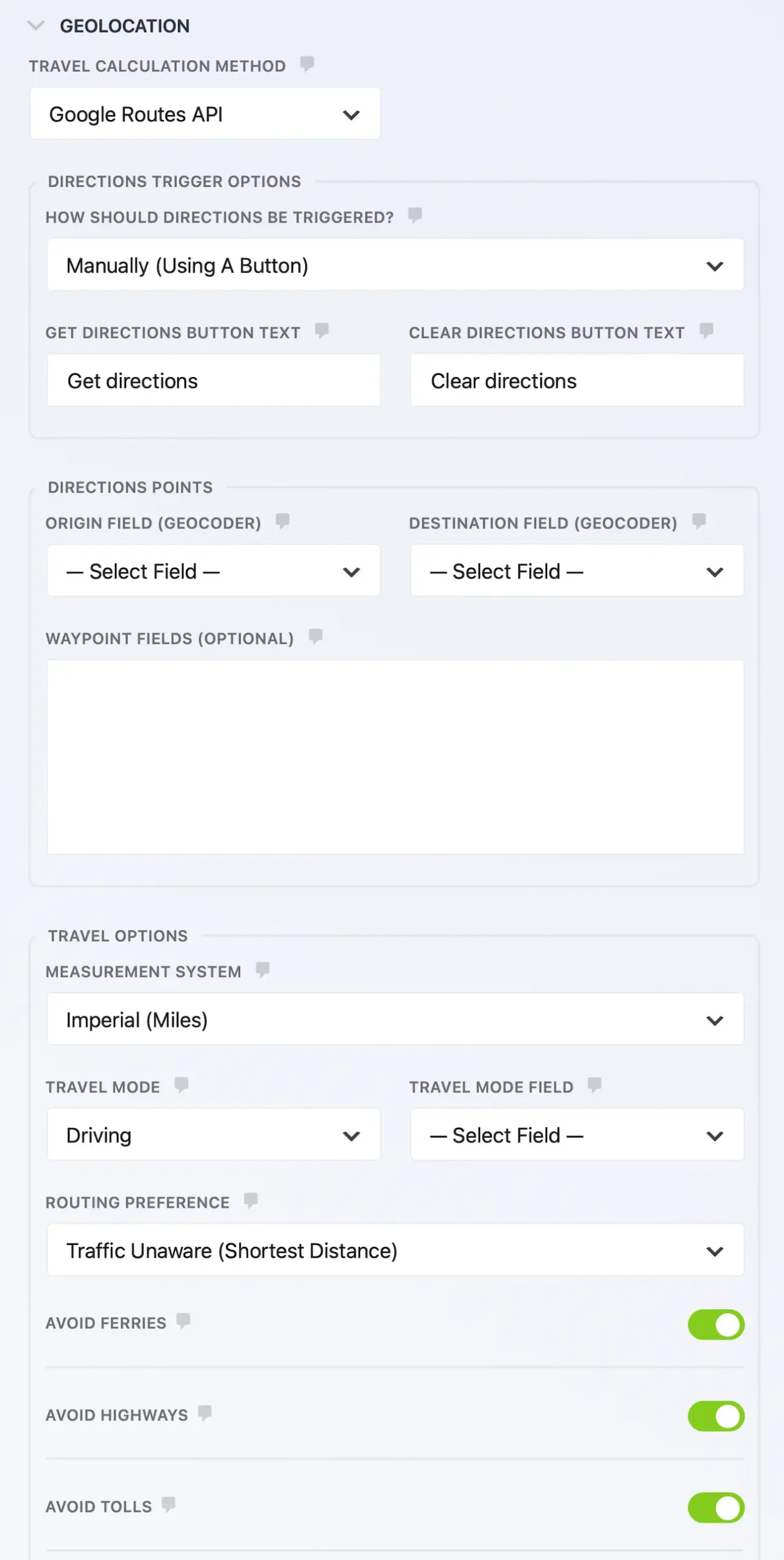
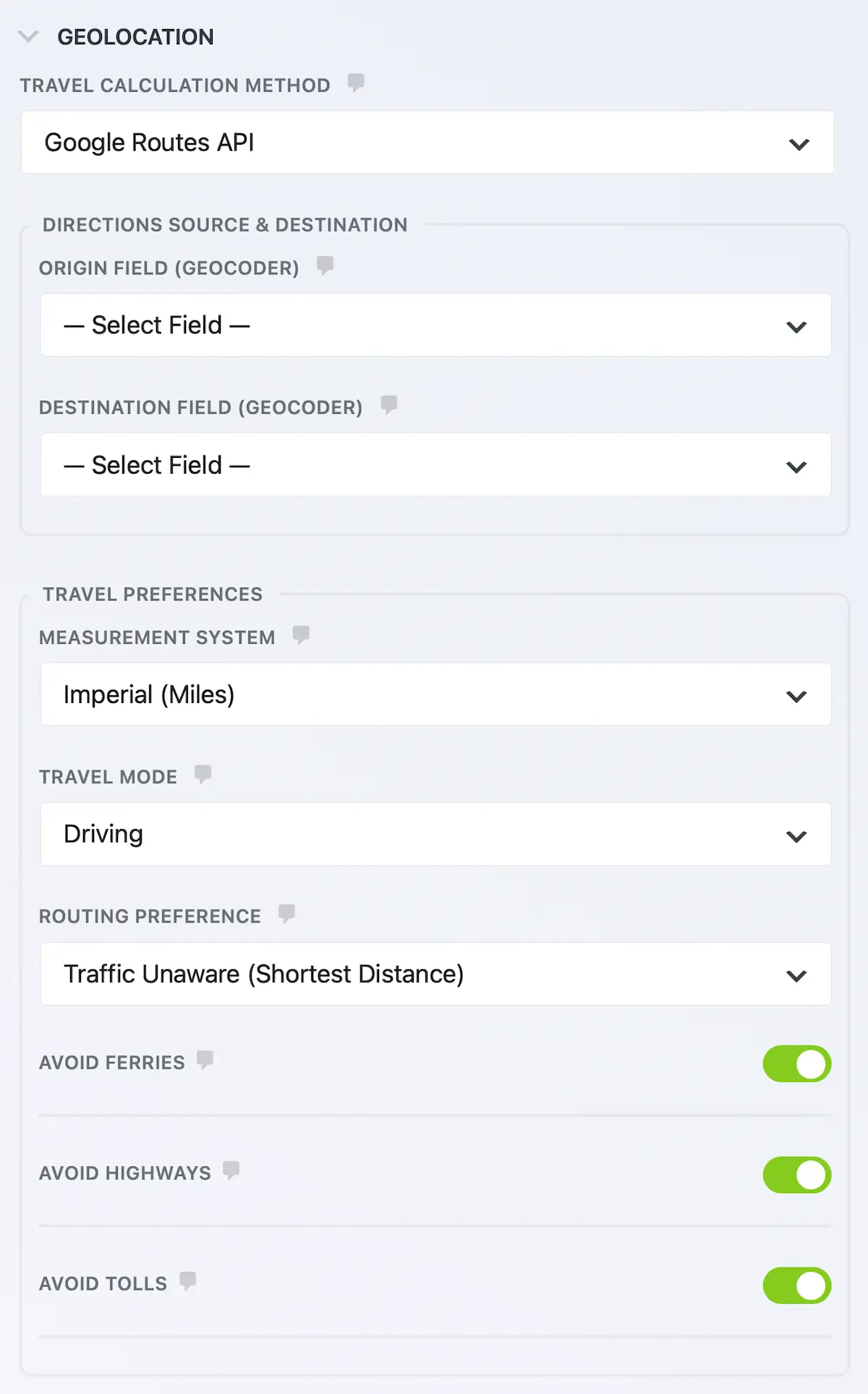
Travel Calculation Methods
Traffic-Aware Routing
Route Preferences
Measurement Units
Smart Traffic & Time-Aware Routing
Calculate routes based on departure or arrival time using live traffic data

Flexible Travel Timing
Dynamic Field Integration
Perfect for:
Show Complete Turn-by-Turn Directions
Give users clear, step-by-step routing without sending them away from your site
Turn-by-Turn Directions Panel
Show step-by-step instructions directly below your form.
Live Route Visualization
Display the route line dynamically on the map.
Multiple Travel Modes
Driving, walking, bicycling, two-wheeler, or transit.
Waypoint Support
Add multiple stops between origin and destination.
No Page Reload Required
Everything updates without reloading the page.
Automatic Distance & Duration Calculation
Accurate results the moment addresses are entered
Real-Time Distance Calculation
Instantly calculate total travel distance between addresses.
Accurate Travel Duration
Display estimated driving time based on real routing data.
Distance Matrix Support
Calculate distance without displaying directions (faster for pricing workflows).
Unit Control
Switch between miles or kilometers.
Dynamic Field Population
Auto-fill hidden fields for pricing logic or conditional workflows.
Turn Distance Into Instant Pricing
Automatically calculate delivery fees, travel costs, or service charges — no custom code required
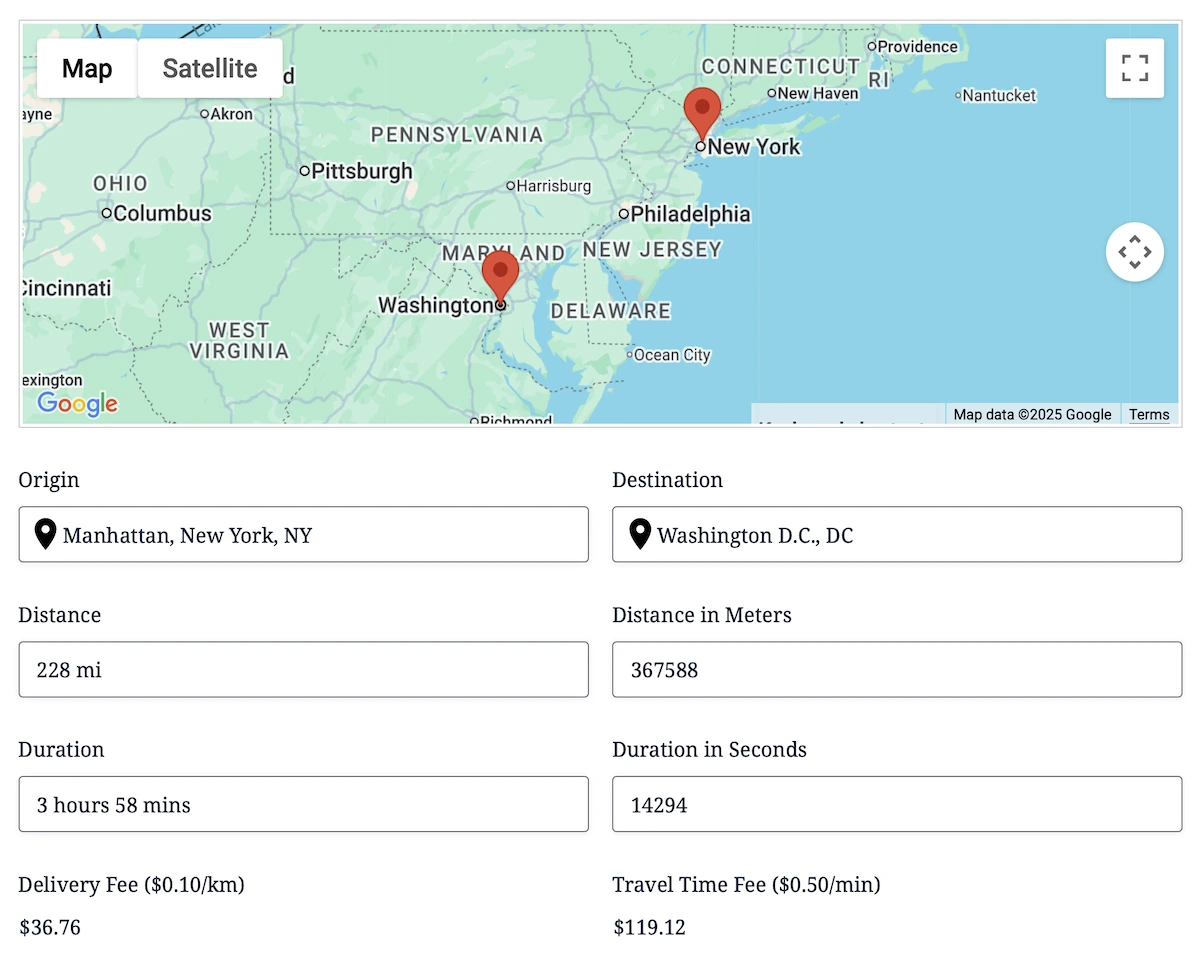
Distance-Based Pricing
Multiply travel distance by your rate automatically.
Time-Based Pricing
Charge based on travel duration.
Conditional Logic Integration
Show or hide fields based on pricing thresholds.
Live Calculation Updates
Pricing updates instantly as addresses change.
Works With Ninja Forms Calculations
Fully compatible with native calculation fields.
Built for Ninja Forms
Distance, Directions, and Directions Panel integrate directly into Ninja Forms without requiring shortcodes or embedded maps.
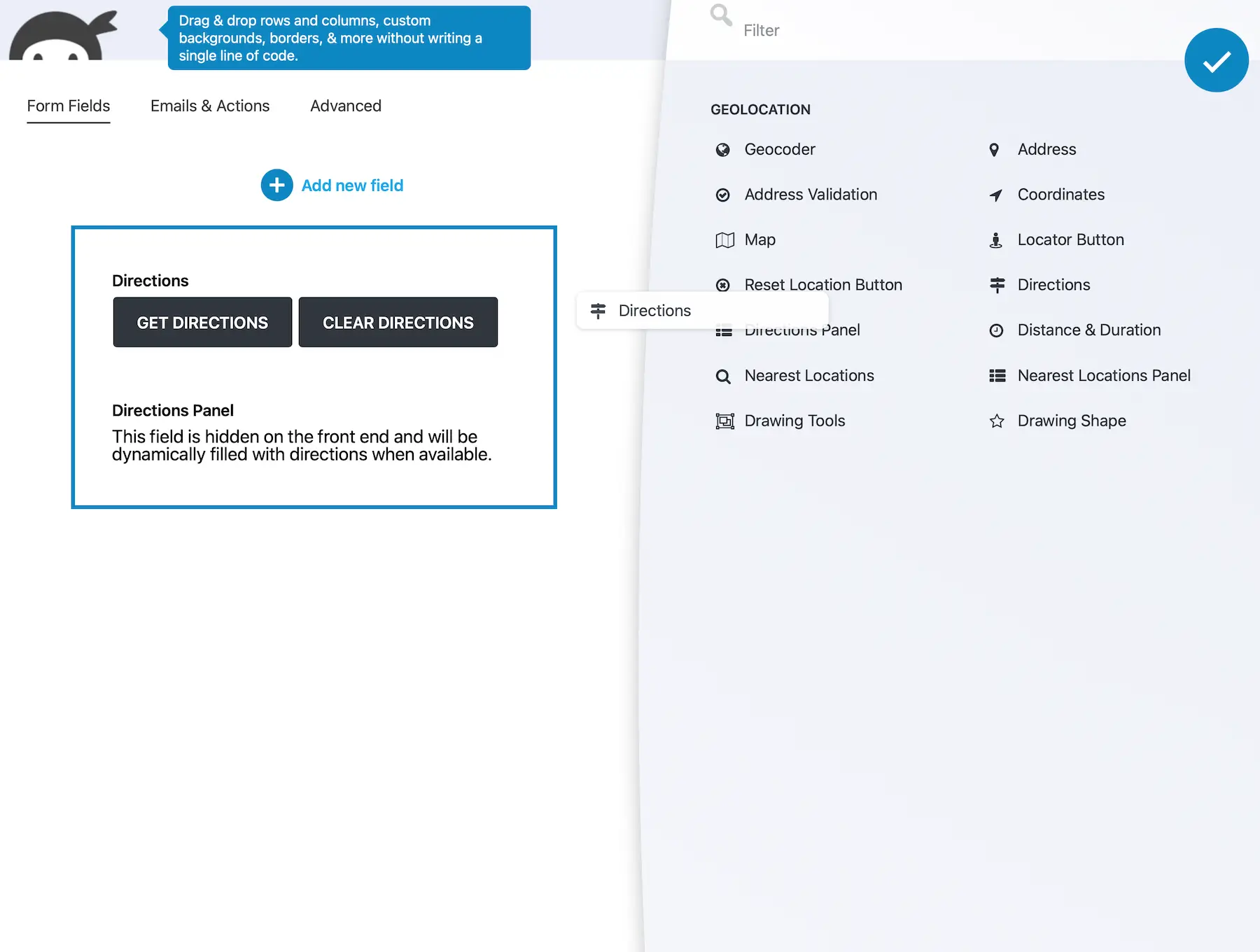
- Add them directly from the Ninja Forms field builder
- Configure them using standard field settings
- Use conditional logic and calculations
- Include values in notifications and confirmations
- Use location values throughout your Ninja Forms workflows
- Style them like any other Ninja Forms field
- Works seamlessly with calculations, conditional logic, notifications, submissions, and Ninja Forms add-ons.
Choose Your Calculation Method
Select the routing engine that fits your workflow
Google Routes API
- Real road routing
- Traffic-aware options
- Full directions & map display
Straight-Line (Haversine)
- Fast estimation
- No API routing calls
- Ideal for simple pricing logic
Built for Performance & Reliability
Designed to handle real-time route calculations efficiently — without slowing down your forms
On-Demand Route Calculations
Routes are calculated only when the required locations are available and the configured trigger runs.
Controlled Trigger Logic
Choose manual or automatic calculation to match your form’s workflow.
Flexible Calculation Methods
Use Google’s Routes API for travel estimates or select straight-line calculation for direct geographic distance.
Distance-Only Workflows
Calculate distance and duration without displaying a route map or turn-by-turn directions—ideal for pricing and estimates.
Reusable Distance & Duration Data
Use calculated values in Ninja Forms calculations, dynamic fields, notifications, and saved submissions.
Native Ninja Forms Integration
Add and configure the fields directly in the Ninja Forms builder without external widgets or embedded pages.
Frequently Asked Questions
What is the Distance & Directions Calculator?
Calculate driving distance, travel time, and routes between addresses directly inside your Ninja Forms using Google Maps.
Can I calculate pricing based on distance?
Yes. Distance and travel duration can automatically populate fields used in calculations, allowing you to build delivery fees, travel costs, service charges, and similar pricing workflows.
Can I display turn-by-turn directions?
Yes. Display complete turn-by-turn directions and interactive routes directly within your Ninja Form.
Can I calculate distance without displaying directions?
Yes. Distance-only calculations are available using the Google Routes API route-matrix calculation, making them ideal for pricing and estimation workflows.
Does it support live traffic?
Yes. Travel times can be calculated using real-time traffic data, including departure and arrival times when supported by the Google Routes API.
Can I choose different routing options?
Yes. Configure travel mode, route preferences, traffic settings, measurement units, and other routing options to match your workflow.
Do I need a Google Maps API key?
Yes. A Google Maps Platform API key is required to calculate routes, travel distance, and estimated travel time.