Address Validation for Ninja Forms
Validate, standardize, and verify addresses before they are submitted through your Ninja Forms
Why Address Validation Matters
Improve address quality, reduce delivery issues, and collect more reliable customer data
Prevent Common Address Problems
- Missing apartment or unit numbers
- Incorrect postal codes
- Incomplete addresses
- Formatting inconsistencies
- Delivery failures
Ideal For
- Delivery services
- E-commerce stores
- Membership sites
- Customer onboarding
- Booking systems
- CRM integrations
Validate, Review & Confirm Addresses
Give users the opportunity to review and confirm suggested address corrections before continuing
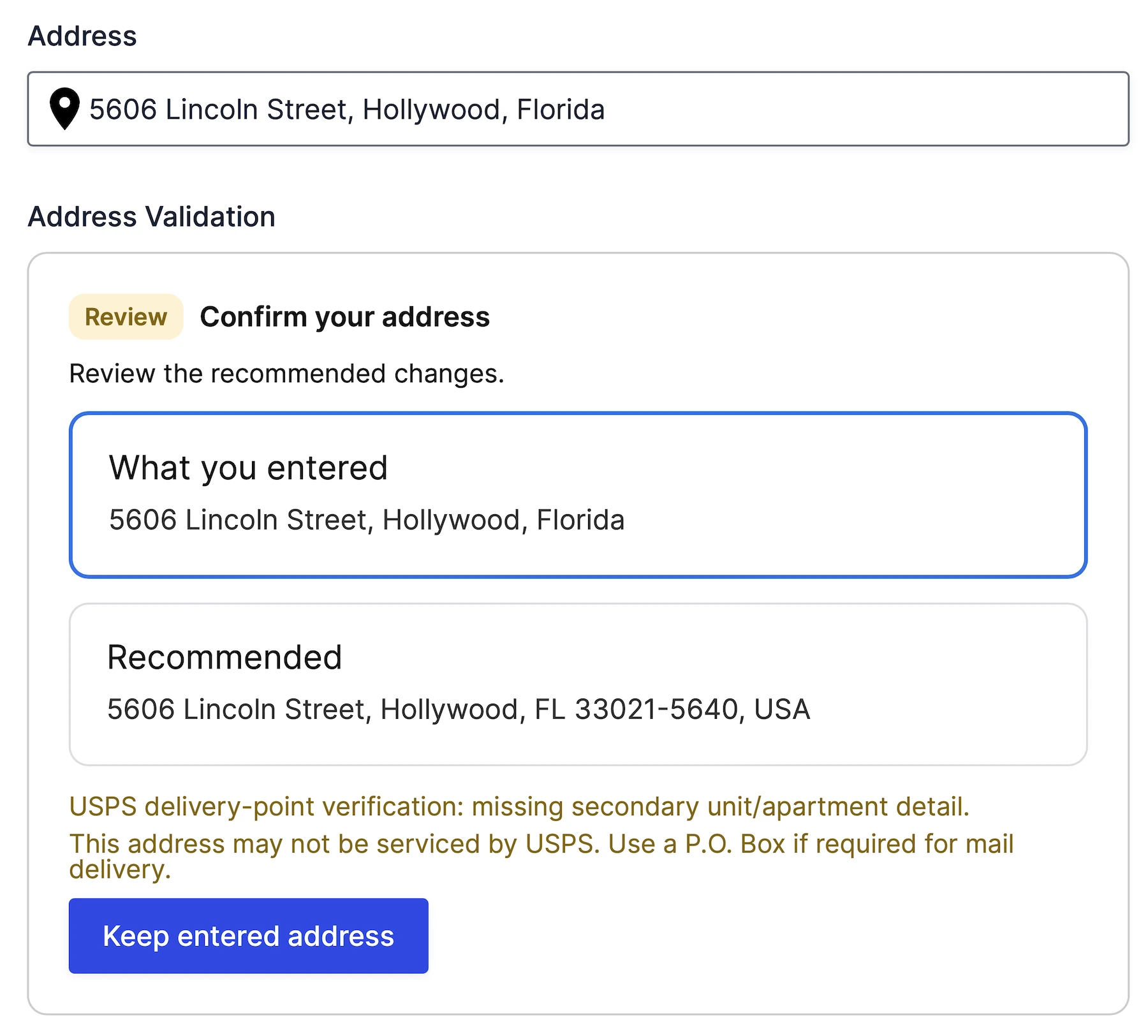
Compare Entered & Recommended Addresses
Show exactly what was entered and what Google recommends.
User Address Review
Validation Warnings & Quality Indicators
Display address quality signals and delivery-related warnings before submission.
Built for Ninja Forms
Address Validation integrates directly into Ninja Forms without requiring shortcodes, widgets, or embedded applications
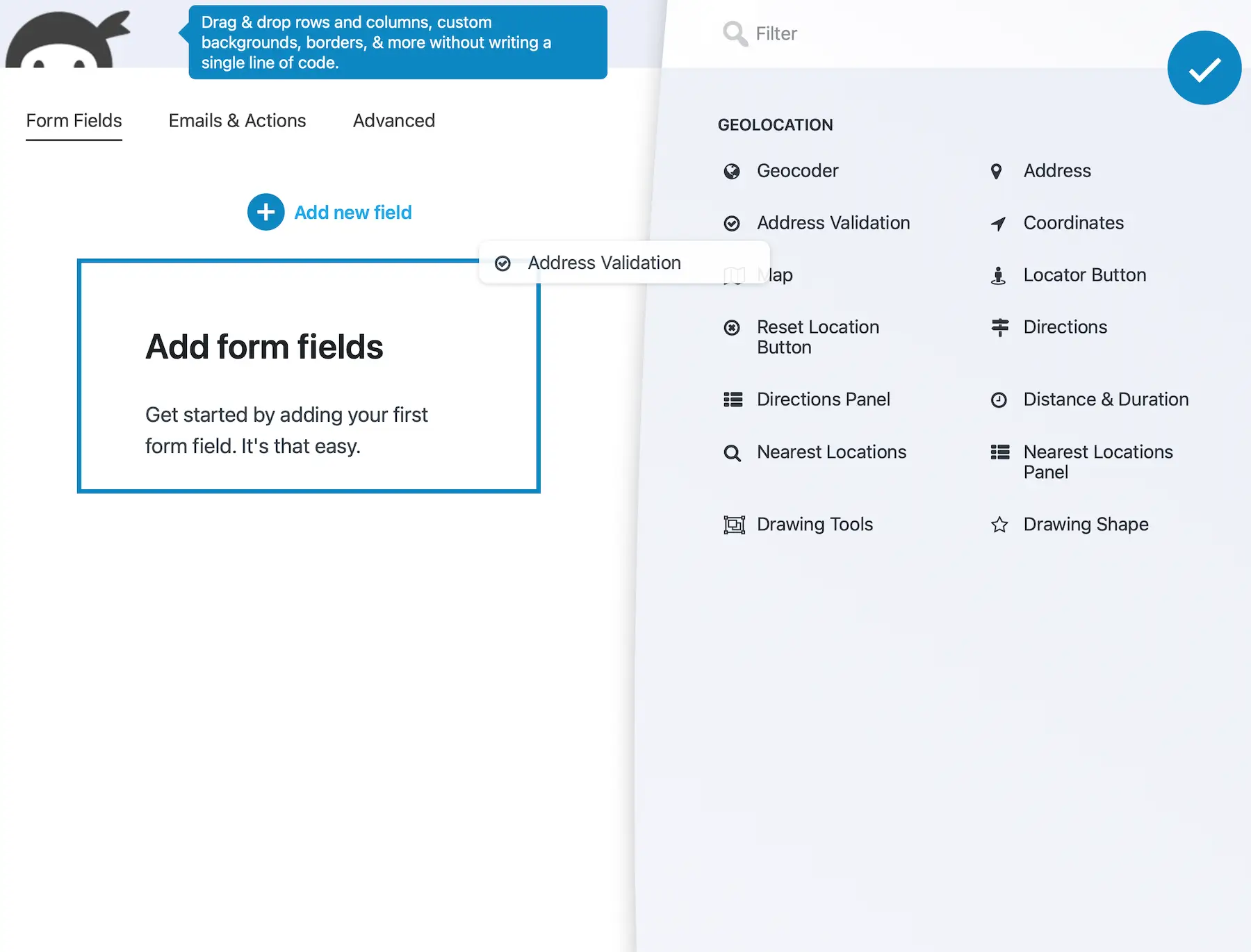
- Add Address Validation directly from the Ninja Forms builder
- Configure validation using standard field settings
- Use conditional logic and calculations
- Include values in notifications and confirmations
- Use validation results throughout your Ninja Forms workflows
- Style them like any other Ninja Forms field
- Works seamlessly with calculations, conditional logic, notifications, submissions, and Ninja Forms add-ons.
USPS-Related Address Insights
Review USPS-related signals returned by Google Address Validation for supported U.S. addresses, including indicators of missing apartment, suite, or unit information
Delivery-Point Signals
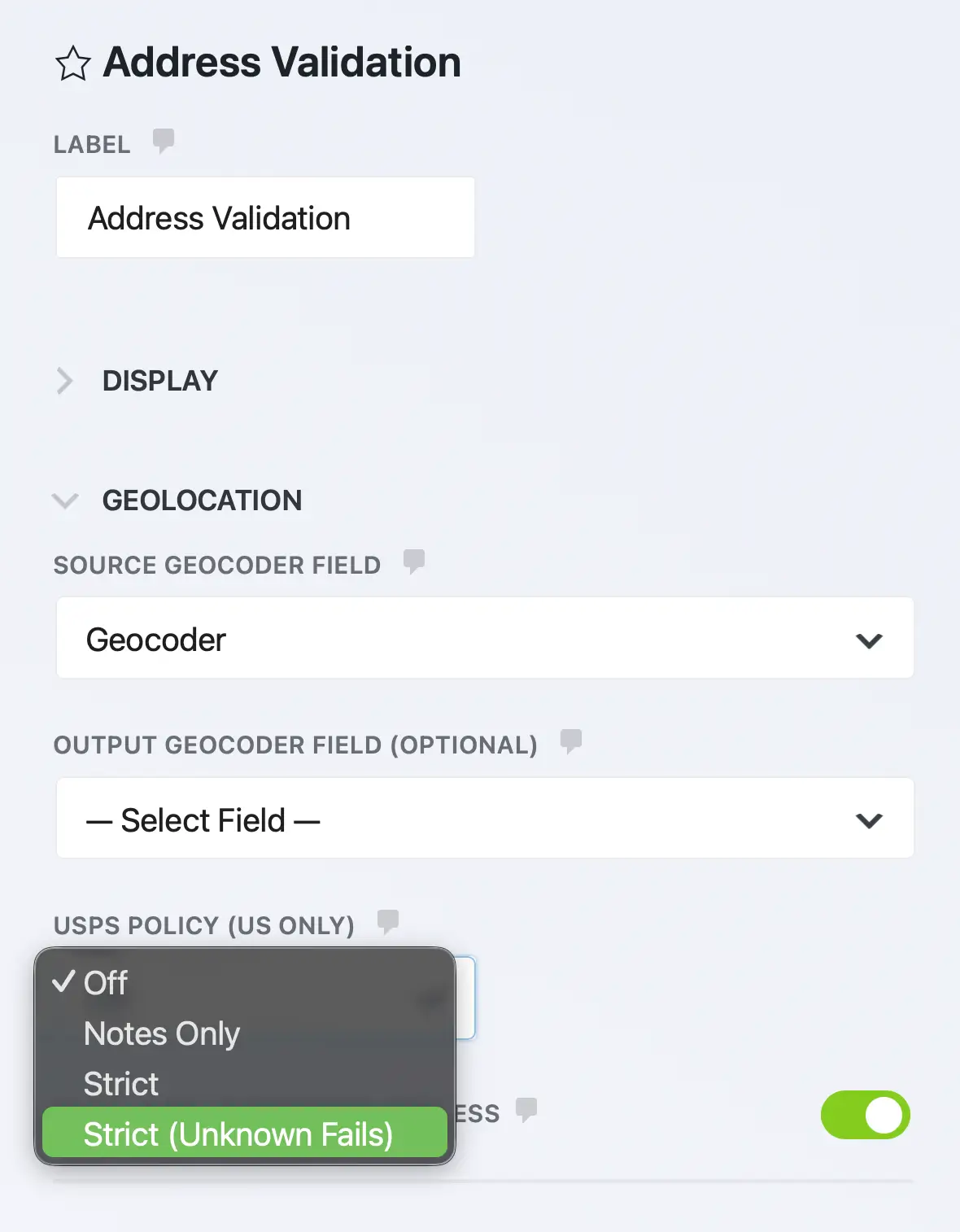
Flexible Validation Policies
Surface Potential Address Issues
Flag possible address-quality or delivery-related issues before the address enters your fulfillment workflow.
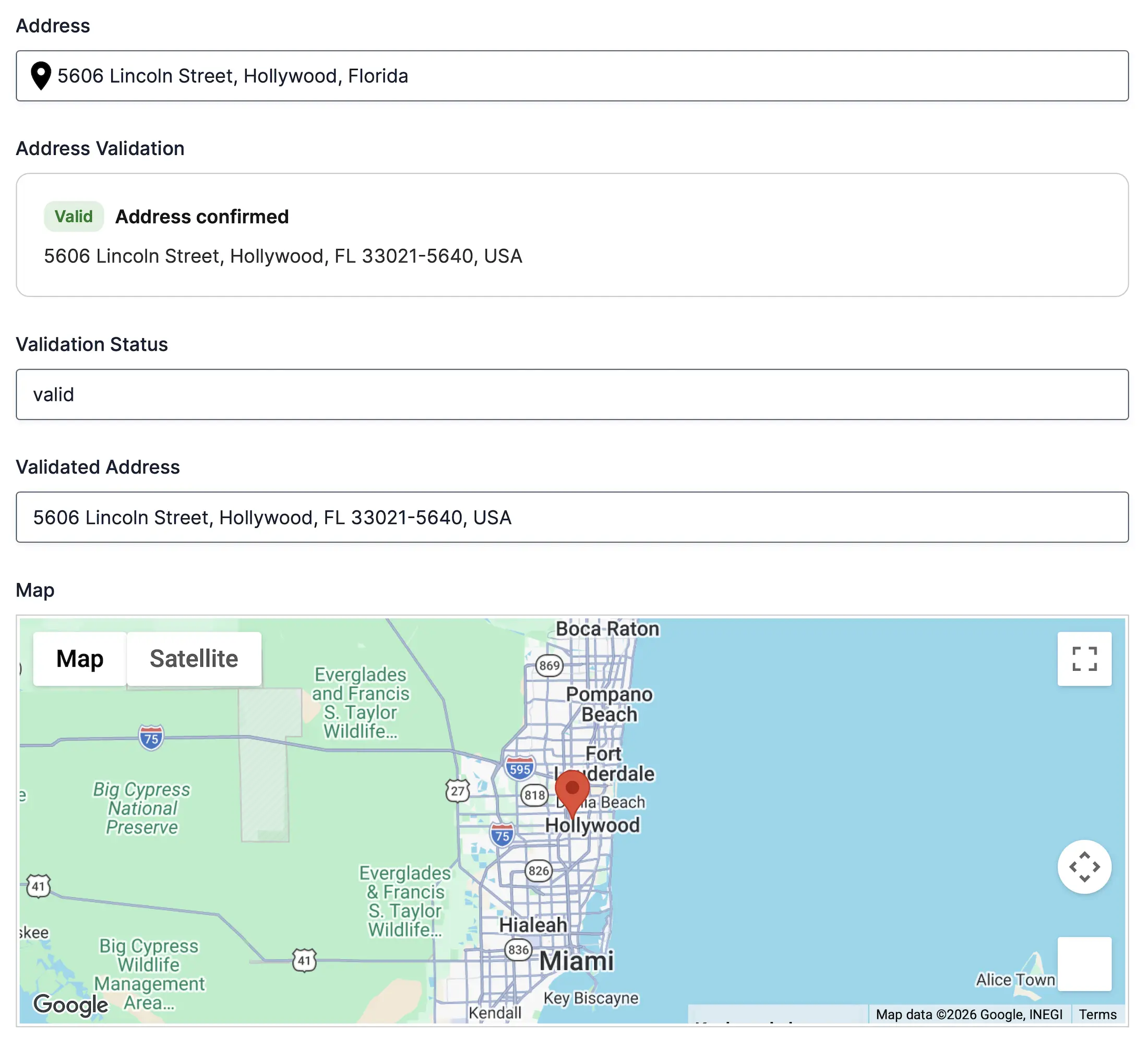
Automatically Update Linked Geocoder Fields
Use validated addresses throughout your form automatically
Keep Address Data Synchronized
- Replace entered address with validated address
- Keep multiple address fields synchronized
- Improve consistency across workflows
- Eliminate duplicate address entry
Built for Flexible Workflows
Choose how validated addresses are reviewed, stored, and used throughout your Ninja Forms workflows.
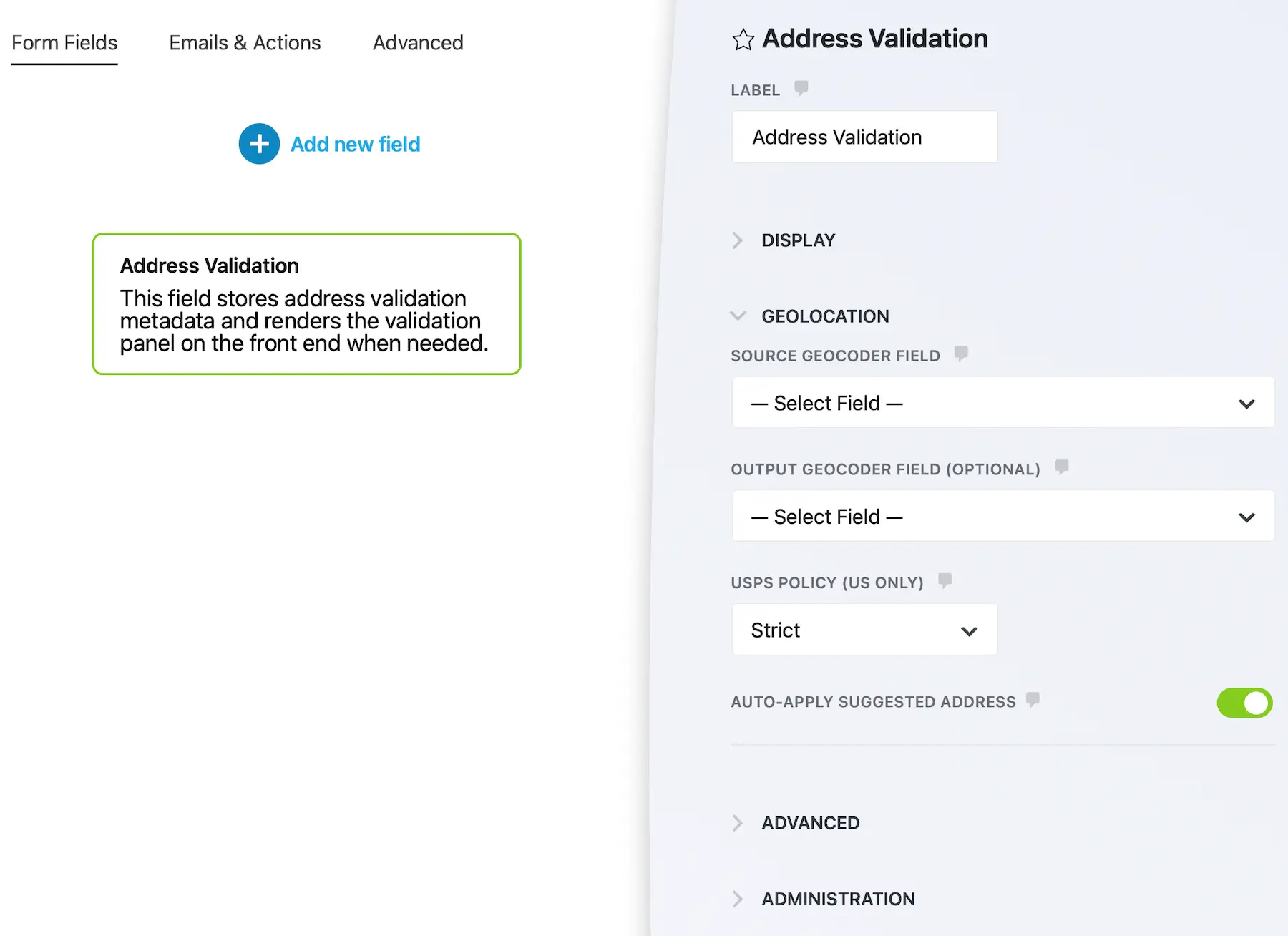
Automatic Address Standardization
Automatically accept Google’s recommended address.
Flexible Validation Policies
Choose between informational warnings, strict validation, or strict unknown-address handling.
Validation Status Data
Use validation results with:
Built for Accuracy & Reliable Address Data
Validate, standardize, and verify addresses before they enter your workflow
Reduce Delivery Failures
Catch incomplete or problematic addresses before they enter your system.
Improve Data Quality
Store standardized address data across your forms and workflows.
USPS-Related Address Signals
Surface missing secondary-unit information and other delivery indicators for supported U.S. addresses.
User-Controlled Corrections
Allow users to review suggested changes and choose the correct address.
Workflow Integration
Works seamlessly with Ninja Forms notifications, confirmations, submissions, and conditional logic.
Flexible Validation Policies
Choose between informational warnings, strict validation, or strict unknown-address handling.
Frequently Asked Questions
What is Address Validation for Ninja Forms?
Address Validation verifies and standardizes addresses entered into your Ninja Forms using Google’s Address Validation API before the form is submitted.
Does validation guarantee that an address is deliverable?
No. Address Validation standardizes addresses and provides quality and delivery indicators. USPS-related signals apply only to supported US addresses and do not guarantee delivery.
Can users review suggested address corrections?
Yes. Users can compare the address they entered with Google’s recommended address and choose whether to keep their original entry or accept the suggested correction.
Does Address Validation work with Google Places Autocomplete?
Yes. Address Validation works alongside Google Places Autocomplete to help ensure addresses are both easy to enter and accurate before submission.
Can I automatically replace the entered address?
Yes. You can configure Address Validation to automatically update linked geocoder fields or require users to confirm the suggested address before continuing.
Does it include USPS-related address information?
For supported U.S. addresses, Google Address Validation can return USPS-related delivery-point indicators, including signals about missing apartment, suite, or unit information. These indicators can help assess address quality, but they do not guarantee delivery and do not represent direct USPS certification.
Can validation results be used in Ninja Forms workflows?
Yes. Validation results can be used with conditional logic, notifications, calculations, submissions, and other Ninja Forms workflows.
Do I need a Google Maps API key?
Yes. Address Validation requires a Google Maps Platform API key with the Address Validation API enabled.